

Easy Guide to Web Analytics Tools and How They Work

Introduction
Web analytics plays a crucial role in the success of any website, whether it’s for a small business, a large enterprise, or a personal blog. In today’s digital world, understanding how users interact with your website is essential to improving user experience, increasing engagement, and driving conversions.
Web analytics refers to the collection, measurement, and analysis of web data to understand and optimize website usage. By leveraging web analytics tools, businesses can make informed decisions to enhance their digital marketing strategies, improve their website’s functionality, and achieve better results.
We will walk you through some of the most powerful and commonly used web analytics tools and techniques—Google Analytics, heatmaps, and conversion tracking. We’ll also explain how each of these tools works, and how you can use them to enhance your website’s performance.
1. What Are Web Analytics Tools and Why Are They Important?
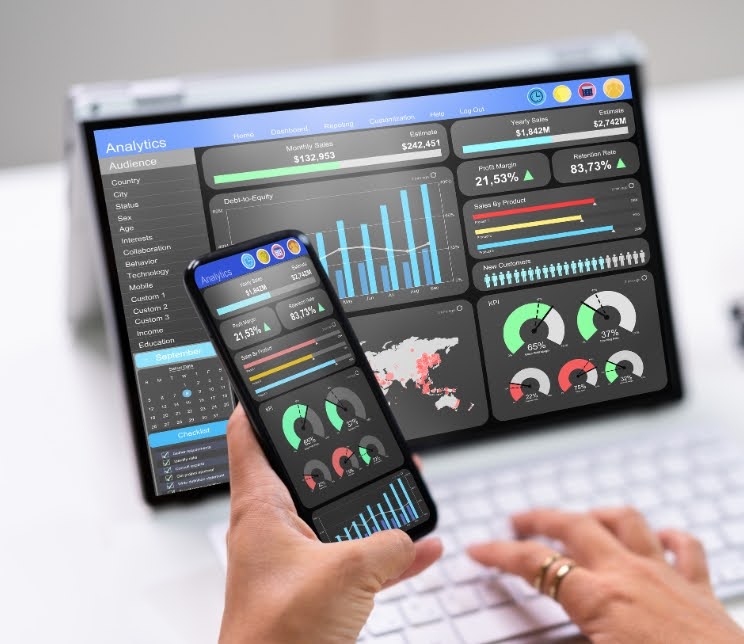
Web analytics tools are software platforms designed to track, measure, and report on website data. These tools allow you to:
- Understand who visits your site and what they do
- Identify which pages are most popular or have high bounce rates
- Track user journeys and find where visitors drop off
- Track conversions like purchases, registrations, or form fillings.
- Improve content, design, and site functionality based on real user data
Without web analytics, businesses would be operating blindly. These insights help in making data-driven decisions that lead to better marketing campaigns, higher engagement, and ultimately, more revenue.
2. Google Analytics – The Industry Standard Tool

What is Google Analytics?
Google Analytics (GA) is a free web analytics tool offered by Google. It’s one of the most widely used platforms for tracking website traffic and user behavior. GA provides a wealth of information about your audience and how they interact with your site.
Key Features of Google Analytics:
- Traffic Analysis: Keep tabs on the average session length, bounce rate, page views, sessions, and visitors.
- Audience Insights: Learn about your visitors’ demographics, location, devices, and interests.
- Acquisition Reports: Understand how users are finding your website—through search engines, social media, paid ads, or referrals.
- Behavior Reports: Examine the pages that users visit, their duration of stay, and their exit points.
- Goals and Conversions: Set up specific goals (e.g., contact form submission) and track how well your website achieves them.
Advanced Features:
- Custom Reports: Tailor your data to answer specific questions about your users or campaigns.
- Segmentation: Break down data by user type, behavior, source, or other variables.
- E-commerce Tracking: Track online transactions, revenue, product performance, and more.
How Google Analytics Works:
Installing a tracking code (JavaScript snippet) on your website is how Google Analytics works. This code collects data about each visitor and sends it to Google Analytics servers. From there, you can access the data through the GA dashboard and generate insightful reports.
3. Heatmaps – Visualize User Interaction
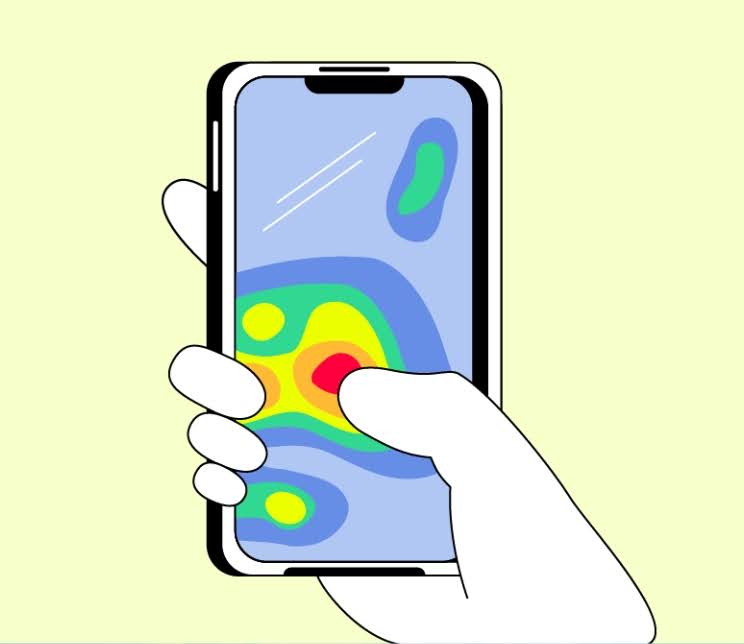
What Are Heatmaps?
Heatmaps are data visualization tools that show how users interact with your web pages. They highlight areas that receive the most attention—such as clicks, taps, scrolling behavior, and mouse movements—using color-coded overlays.
Typically, warmer colors (reds, oranges) indicate high interaction, while cooler colors (blues, greens) show low interaction.
Types of Heatmaps:
- Click Heatmaps: Show where users click most frequently.
- Scroll Heatmaps: Display how far down users scroll on a page.
- Move Heatmaps: Track mouse movement patterns.
Benefits of Using Heatmaps:
- Identify which content or buttons attract the most clicks.
- Discover unused or ignored sections of your website.
- Optimize page layout, design, and content placement.
- Improve call-to-action (CTA) positioning to increase conversions.
Popular Heatmap Tools:
- Hotjar
- Crazy Egg
- Mouseflow
- Lucky Orange
How Heatmaps Work:
Heatmap tools require you to embed a tracking script into your website’s code. This script collects interaction data and then visualizes it on top of your actual web page, allowing you to see what your users are doing in real-time or based on session recordings.
4. Conversion Tracking – Measuring Success

What is Conversion Tracking?
Conversion tracking is a method used to monitor specific user actions on your website that are valuable to your business. These actions—known as conversions—could include:
- Completing a purchase
- Filling out a contact form
- Signing up for a newsletter
- Downloading a file
Tracking conversions allows you to understand what’s working on your site and what isn’t, helping you optimize your digital marketing efforts.
How Conversion Tracking Works:
Conversion tracking involves placing a tracking code on your website, often on the “thank you” page that appears after a user completes an action. When the code is triggered, data about the conversion is sent to your analytics platform.
Tools for Conversion Tracking:
- Google Analytics Goals: Set up goals to track specific actions.
- Google Ads Conversion Tracking: Track ad performance and ROI.
- Facebook Pixel: Track actions taken by users from Facebook ads.
- CRM Tools: Many customer relationship management tools offer built-in conversion tracking.
Benefits of Conversion Tracking:
- Measure ROI of marketing campaigns.
- Understand the user journey and sales funnel.
- Find out which traffic sources have the highest conversion rates.
- Optimize landing pages and CTA effectiveness.
5. Best Practices for Web Analytics Implementation

To make the most of web analytics tools, follow these best practices:
- Define Clear Goals: Know what you want to achieve (sales, leads, engagement).
- Use Multiple Tools: Combine tools like Google Analytics and heatmaps for a full picture.
- Track Conversions Accurately: Ensure your tracking codes are correctly implemented.
- Monitor Regularly: Review analytics data frequently and look for trends.
- Make Data-Driven Changes: Use insights to improve site design, content, and marketing.
Frequently Asked Questions:
Q.1. What is web analytics and why is it important?
A.1. Web analytics helps track and analyze website data to improve performance and make better marketing decisions.
Q.2. Is Google Analytics free to use?
A.2. Yes, Google Analytics has a free version with powerful features and a paid version for enterprises.
Q.3. What can I track with Google Analytics?
A.3. You can track visitors, page views, bounce rate, traffic sources, user behavior, and conversions.
Q.4. How do heatmaps help improve website performance?
A.4. Heatmaps show where users click, scroll, and focus, helping optimize design and layout.
Q.5. What is conversion tracking and how does it work?
A.5. It tracks specific user actions using a code that records completed goals like purchases or form submissions.
Conclusion
Web analytics is no longer optional—it’s a necessity for anyone looking to grow their online presence. Whether you’re running a blog, an e-commerce site, or a corporate website, the data you gather through tools like Google Analytics, heatmaps, and conversion tracking can help you understand your audience and refine your strategy.
By visualizing user behavior, tracking conversions, and analyzing traffic sources, you can make smart, data-driven decisions that lead to better engagement, higher conversions, and long-term success.
Want to know more? Visit us at https://srutatech.com or give us a call at (917) 503-1133. We’re happy to help and ready to answer all your questions!